An Internal Account can be used to track a loan made to an Individual or Employee.
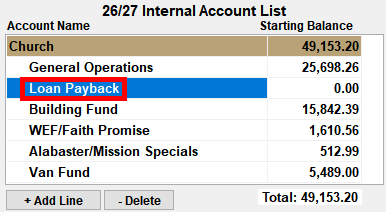
- Create a New Internal Account that will be used when the payment is made.
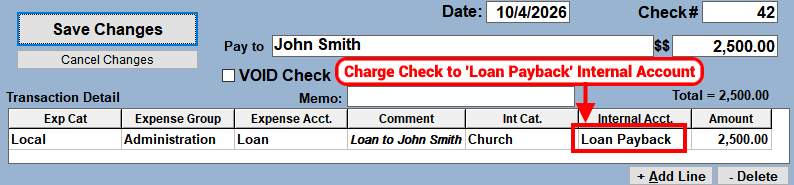
- Post the payment to the Loan recipient using the 'Loan Payback' Internal Account.
- This will give the 'Loan Payback' a NEGATIVE balance which will be credited back when the recipient makes payments.
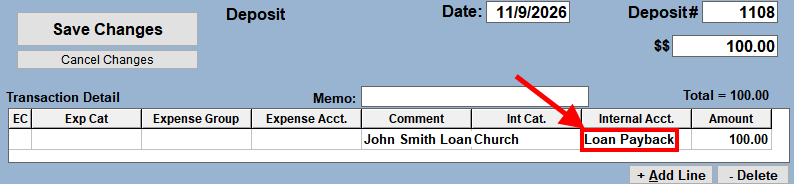
- When a payment is made, post the Deposit making sure to use the new 'Loan Payback' Internal Account.
If payments are made through Contributions, then also do the following:
- Create a Contribution FUND (ie. Loan Payback) and Un-Select the Tax Deductible column. The INCOME EXEMPT column will automatically be selected.
- Post the Donation Entry using the new FUND.