To handle Uncleared/Unreconciled Transactions that have been lost, were erroneously posted or will never clear:
- Select the fiscal year that has the Unreconciled Transactions.
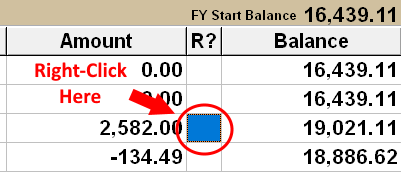
- Right-click on the R? column of any transaction on the Bank Transaction Register.
This will move all Unreconciled Transactions to the top of the list.
- Do 1 of the following:
- Delete the UnReconciled transactions.
- OR Edit each UnReconciled transaction and change the AMOUNT to $0.00.
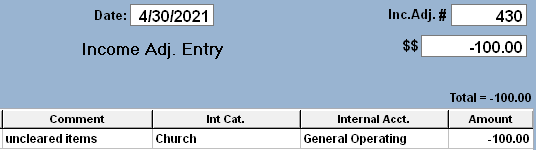
- OR Post an Income Adjustment dated the last day of that Fiscal Year for the OPPOSITE $ Amount of the
TOTAL of the UnReconciled Items.
In the Example above, the Total of the 2 UnReconciled items is -544.75 (-650.00+105.25), so the Adjustment Amount needed to offset would be a Positive 544.75. Post to the Church/General Operations Internal Account.
- Update the Starting Balances in ALL subsequent Fiscal Years to match the Previous Year Ending Balances:
Select the next Fiscal Year, then Click Here for Instructions to Update Starting Balance.