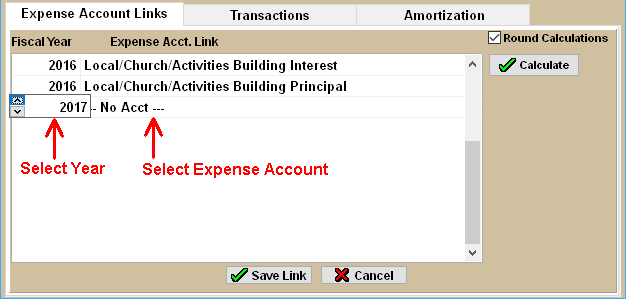
Each new Fiscal year, the Expense account(s) for the Loan must be linked. Follow the steps below to link them:
- From the Loan Screen, click on the LOAN NAME in the Loan list, then click the Expense Account Links tab.
- Click the Add Link button. Select the current Fiscal Year in column #1.
- Click inside column #2 (on "No Acct") and then select (Double-click) on the applicable Expense Account in the list.
- Repeat the 2 steps above to link additional accounts.
- Click the Calculate button to apply the links.