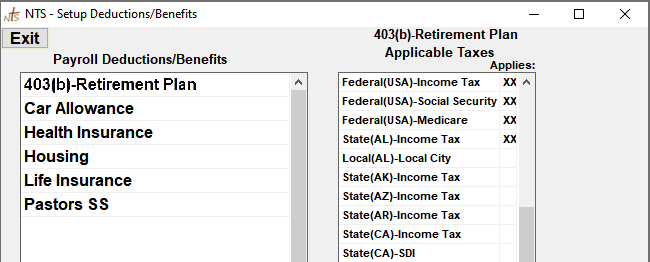
- From the Payroll screen, click Setup then click Setup at the top of that screen, then click Deductions/Benefits.
- Click the Add Deduction/Benefit button.
- Type the name of the new Deduction or Benefit.
- Click the Save Deduction/Benefit button.
- Double-click in the Applies column to the right of each Tax Account that will apply to this Deduction/Benefit.
Double-Click the "APPLIES:" column title to select or de-select all Tax Accounts.
To Delete a Deduction/Benefit, click the item on the list, then Click the Delete Deduction/Benefit button. If the deduction or benefit is selected as active for any employee, the system will not allow you to delete it.